
BETTER PHOTOS / PRINCIPLE 10
Check the edges.
Keep the intention.
You notice the cup, flower or person first. The camera also records the half-visible bag in the corner and the handle pressed against the border. A short look around the frame can make your intention easier to understand without adding an effect.
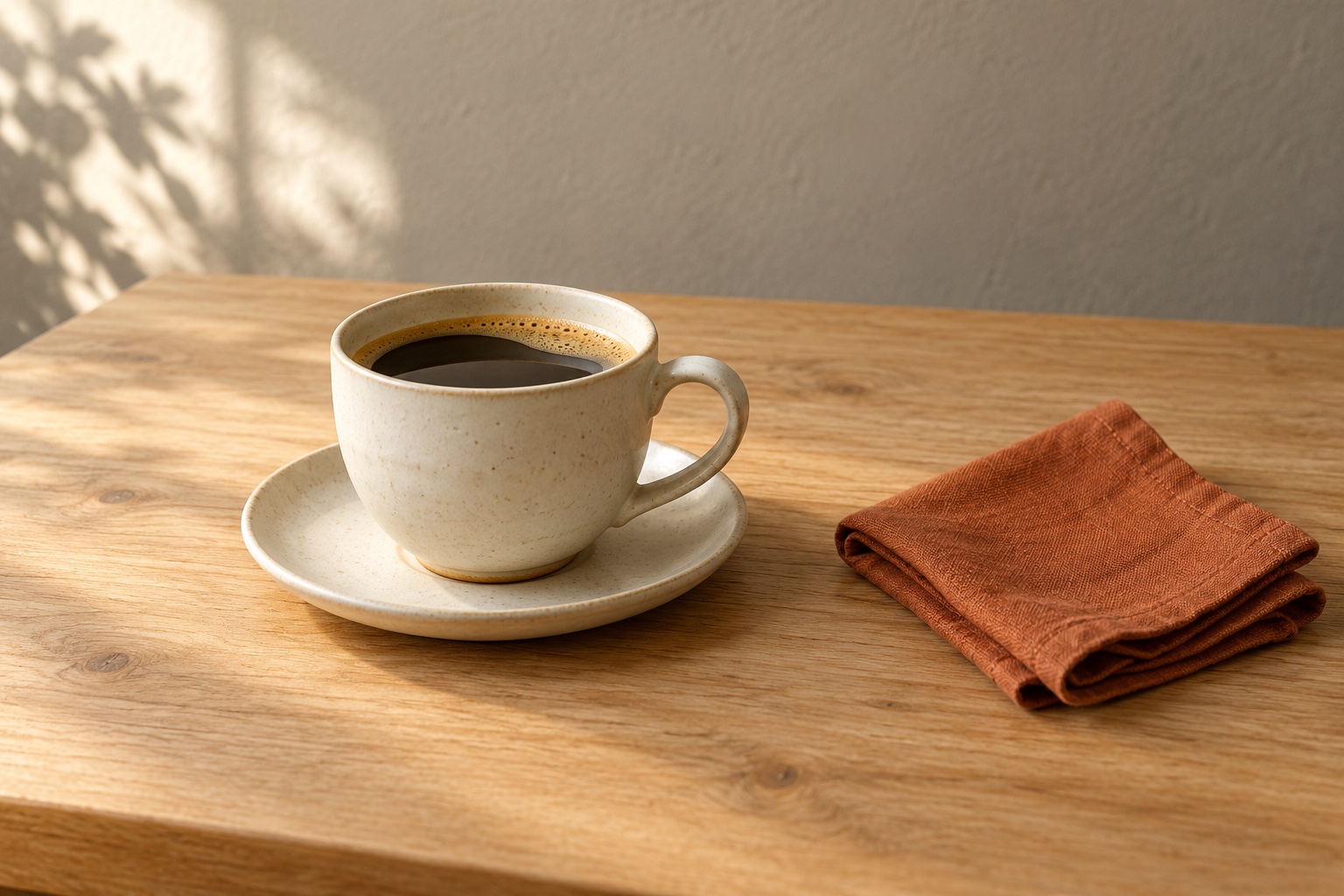
Follow all four borders and decide deliberately what enters, leaves or touches the frame.
Why the perimeter matters
The edge decides which part of a scene belongs in the photograph. A small, bright fragment at a corner can compete with the main subject even when it occupies very little space. A nearly complete object may also look accidentally cut rather than intentionally cropped.
A clean edge is a deliberate edge, not necessarily an empty one. A busy market photograph can contain objects crossing every border and still work. The useful question is whether each crossing supports the scene you want to show.
Distinguish a crop from a near miss
Imagine photographing a cup on its saucer. With the handle only just touching the right border, its outline is difficult to read. Try leaving a visible gap. Alternatively, move much closer for a detail of the rim and coffee, accepting that the whole cup will not appear.
Both choices can be expressive. The ambiguous middle position is worth checking: a tiny missing piece of a handle often communicates less clearly than a complete handle or an unmistakably close detail. There is no universal margin measured in pixels. Judge the picture at the size people will see it.
Watch where outlines touch
An unwanted tangency happens when two outlines just meet and seem connected. A spoon may touch the edge of a plate; a distant railing may appear to emerge from a person’s head. This is a spatial overlap, so changing contrast alone may not solve it.
Move slightly sideways and watch the gap open, or rearrange your own still life. Recheck the opposite edge afterwards: solving one collision can introduce another. If the overlap explains the scene, such as a hand holding the cup, keep it.
A four-border scan before taking the photo
Choose your subject and frame normally. Then trace the top border, right side, bottom and left side with your eyes. Pause at each corner. Look for small intrusions, almost-cut contours and bright patches that have no role in the photograph.
Make one adjustment, take the photo and inspect the saved result. If you plan to publish it as a square or portrait crop, check that final shape too. Space present in a wide original may disappear when another format trims the sides.
Three everyday situations
At a café, decide whether a neighbouring plate belongs in the story. Include it clearly, exclude it by repositioning, or use a deliberate close crop. For flowers, check petal tips against the border and stems against the background. In a portrait, inspect hands, elbows and the space above the head.
Do not force every hand, plate or leaf to fit. A detail photograph can omit most of the object. Aim for a convincing choice rather than a rigid rule against cutting anything. Keep enough of the gesture or shape for your intended meaning.
When cropping afterwards helps
A modest crop can remove an unwanted corner. It cannot restore the missing part of a subject outside the original photograph. It also discards image area, so keep the original and check the result at your intended display or print size.
Avoid tightening all four sides automatically. You may remove useful context or leave too little space in the direction of a glance. Start with a clear problem, change only the necessary edge and compare the result with the uncropped version.
Five-minute exercise: three choices
Place a cup, saucer and napkin on a stable table. Make three pictures: a complete arrangement with visible border gaps; an intentionally tight detail; and a frame where the handle nearly touches an edge. Keep the light and camera similar so the framing is the main variable.
Compare the handle, saucer and four corners in each saved picture. Choose the version that expresses your idea and write why. Repeat this short border scan during your next Take PRO session on iPhone. The app interface is English; current terms are available in the App Store.