PHOTO PRINCIPLES / PRINCIPLE 18
Move closer.
Show more subject.
You wanted to photograph a handmade cup, yet most of the picture shows an empty table. Filling the frame means deciding how much of the image belongs to the subject. It does not require covering every inch. Choose boundaries that make your intention easy to understand.
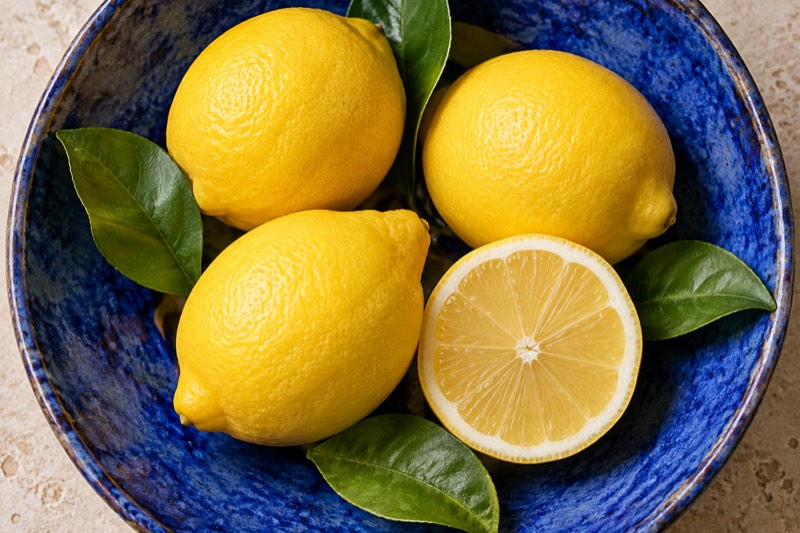
A larger subject reveals details, but its surroundings may carry the story.
What does filling the frame mean?
The subject takes up a substantial part of the picture, making its shape, surface or gesture easier to notice. Nikon recommends moving closer when unnecessary surroundings distract. Adobe describes filling the frame as a way to emphasise the subject. There is no compulsory percentage or single correct crop.
Name the reason for the photograph first: lemon peel, a glaze pattern, hands at work. Then decide how much space that information needs. In the illustration, fruit and ceramics dominate while the table becomes a narrow border.
Three stories from the same table
A wide photograph of a bowl on a kitchen table might describe meal preparation. A closer view is about the fruit and ceramics. A tighter crop can make lemon peel the subject. Each version works, but it answers a different question.
Portraits involve a similar choice between the person and the place. A close view may reveal an expression; a wider picture might show someone in their workshop. Do not remove surroundings simply because they occupy a lot of space.
Step by step: choose before moving
Start with a still object and take a reference picture. Identify one detail that should remain readable in a small preview. Bring the phone closer gradually, checking the boundaries each time. Keep the lighting and object arrangement unchanged so that you can judge framing on its own.
Stop before the important detail loses clarity. If the camera struggles to focus at a very short distance, move back. Different phones and lenses do not offer the same close-focusing ability. Inspect the saved photograph rather than relying only on the live preview.
Make the crop look deliberate
The entire object does not always need to fit. A bowl rim can extend outside the picture when the lemons are the subject. If you want to describe the vessel’s shape, its complete outline may be more useful. Decide which story you are telling before taking the picture.
Avoid accidentally clipping just the tip of a spoon or a tiny part of a handle. Leave clear breathing room or choose a more decisive crop. When photographing hands, preserve the action: a tight view should not hide what the person is doing.
Common mistakes
Moving closer without a purpose makes an object larger without necessarily clarifying the important detail. Getting too close can also lose focus. A phone may cast a shadow onto the subject. After moving, check the detail, focus and light as three separate decisions.
Cropping afterwards can help, but it removes some of the recorded pixels. Do not rely on it as a compulsory rescue. Leave a little margin if you will need several output formats, and keep the original file.
When should the background stay?
Surroundings matter when they explain scale, location or relationships. A small walker below a huge rock face may tell more than a tight portrait. Empty space can also be a calm, intentional part of the composition.
Ask what becomes unclear after cropping. If a meaningful part of the story disappears, return to the wider version. Filling the frame is a tool for choosing information, not a requirement for every photograph.
Exercise: wide, close, detail
Place a fruit bowl near a window. Make three pictures: the whole table, the bowl, and a selected part of one fruit. Write one sentence about what each picture communicates. Compare small previews and choose the version that best matches your intention.
Try the exercise with Take PRO on your next photography session. The app interface is in English. This guide’s AI-created illustration is educational and is not a photograph made with the app.