
BETTER PHOTOS / PRINCIPLE 13
One color leads.
Let it stand out.
Before increasing saturation, look at what surrounds your subject. An orange on a blue surface can be easy to notice because the two colors differ. This guide uses a simple still life to practise choosing a palette before pressing the shutter. The same habit works with clothes, doors and details on a walk.
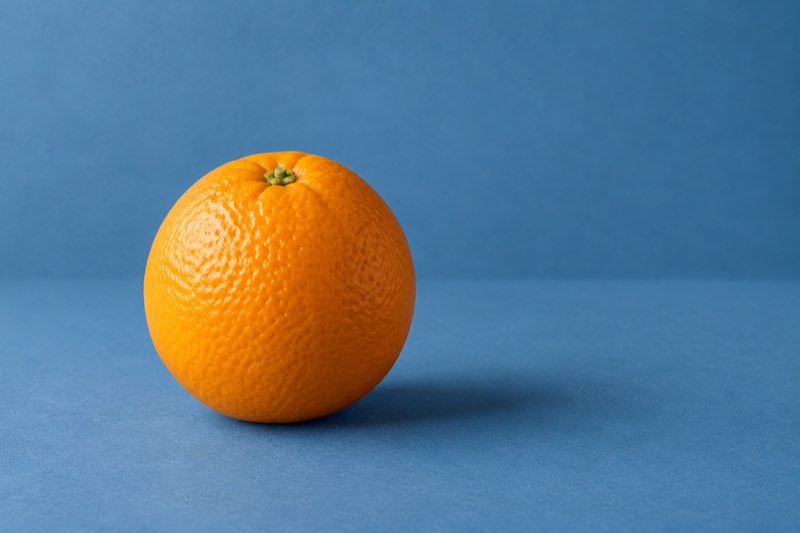
Choose the color that should lead, then make the surrounding colors support it.
Color and brightness are different decisions
Color contrast is a difference between hues; tonal contrast is a difference between lighter and darker areas. Adobe distinguishes the two. An orange object against blue gives a useful color pairing, but neither color guarantees a readable shape if the lighting and background are confusing.
In the familiar artists’ color wheel, orange and blue form a complementary pair. Nikon lists that pairing as a composition exercise. Treat it as a starting point rather than a requirement for mathematically exact colors. Real surfaces vary with light, reflections and your camera’s rendering.
Pick one lead color
Name the subject before choosing the background: here it is the orange, not the blue paper. Keep the fruit large enough to recognise and leave its contour unobstructed. A quiet field around it makes the color relationship easier to study.
Try unequal areas: a small orange accent within a larger blue field. Equal halves are another option, but they may make the two colors feel equally important. Change the framing and compare which version best expresses your intention; there is no mandatory percentage.
Build the scene before editing
Place an orange on matte blue paper near a window, away from direct harsh sunlight. Curve another piece behind it or choose an angle that avoids a distracting seam. Keep the phone steady and tap the fruit to focus if your camera supports it.
Check the saved photograph, not only the preview. If the bright side has lost its peel texture, reduce exposure a little using your camera’s control and take another frame. Do not assume Take PRO supplies a particular exposure or color control; this exercise works in your usual camera.
Remove competing accents
A red package, a green cable or a vivid reflection can introduce another visual priority. Move your own objects aside, change your position or frame more tightly. Leave ordinary surroundings untouched when photographing somewhere you do not control.
On a walk, try an orange door against a blue wall, or a willing person’s warm-colored jacket against a cooler background. Keep skin believable and the location safe. A color pairing is not worth stepping into traffic or entering private property.
Avoid the saturation trap
More saturation does not automatically create better separation. It can make both background and subject demand attention, flatten subtle peel texture or produce unnatural skin. Begin with the unedited image and ask whether the colors already do enough.
Mixed window light and a warm lamp may introduce uneven color casts. For the still life, try one light source first. If you edit, make a small adjustment and compare it with the original at a normal viewing size, rather than judging only an enlarged detail.
Know when contrast is unnecessary
Neighboring colors, such as several greens, can make a deliberately quiet image. A monochrome scene may depend on shape, texture or brightness instead. Do not add an orange object merely because a color rule says a photograph needs an accent.
People perceive color differently. If the subject disappears when color is less distinguishable, improve the contour, spacing or tonal separation too. A temporary black-and-white preview can help inspect brightness, but it is a diagnostic comparison, not a rule that every color picture must pass.
Five-minute exercise: three backgrounds
Photograph the same orange on blue, neutral grey and orange-toned paper. Keep its size, light and camera position similar. Compare the saved pictures: which makes the fruit stand out, which feels quiet, and which lets texture carry the image?
Choose one version and remove one remaining distraction. Write down the reason for your choice before editing. Take that observation into your next Take PRO session on iPhone. The app interface is English; current availability and terms are in the App Store.