PHOTO PRINCIPLES / PRINCIPLE 19
Notice the light.
Before changing colours.
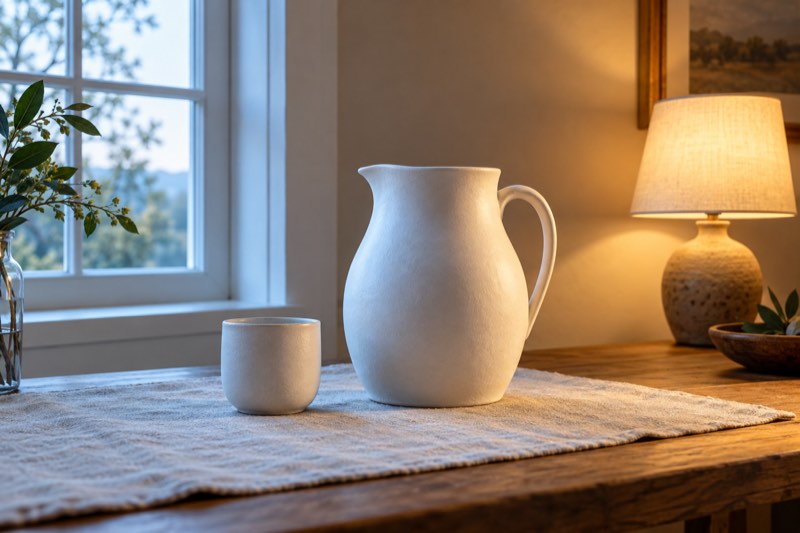
Does a white jug look cool on one side and yellowish on the other? Look at the lighting before adding a filter. A photograph’s colour depends on both the objects and the light reaching them. This exercise is about observing the scene, without buying equipment or assuming hidden app controls.
Recognise mixed lighting in phone photos with a window-and-lamp exercise. Understand white balance, common mistakes and when colour differences should stay.
What does white balance do?
White balance affects colour rendering across the photograph. Adobe explains it as a way to compensate for a lighting colour cast. It is different from brightness: a brighter white cup can still look blue or orange.
Start with two questions: is the object too dark, and does it have an unwanted tint? Solving the first does not necessarily solve the second. Avoid judging colour from an area that is completely white and has lost its detail.
Identify the two sources
Place a white cup between a window and a switched-on lamp. Examine each side separately. In the illustration, the cooler side faces the window and the warmer side faces the lamp. This is an educational example, not a measurement or a promise of an identical result in your room.
Daylight and bulbs do not always differ in the same way. Time of day, lamp type and reflected light matter. A green curtain or coloured tabletop may also affect the appearance of nearby surfaces.
Simplify the scene first
Take a reference photograph without a filter. Switch off the lamp and make another, keeping the phone and cup in the same positions. Compare the tint on both sides. If the colour becomes more consistent, you have found a practical way to organise the lighting.
If switching off the lamp changes little, move the object nearer the window and repeat. Change one thing at a time. The aim is not to eliminate every shadow, but to understand which source shapes the colour of the important area.
Choose what should look natural
For ceramics, the glaze may matter most; for a portrait, the face; for food, its characteristic colour. Judge that area first. A global colour correction may improve one part of the scene while leaving a cast in another.
If your editor offers temperature and tint controls, make small changes and compare with the original. This guide does not assume particular sliders in Take PRO. Moving the subject or switching off an unnecessary lamp may be simpler than correcting the result later.
Common mistakes
Do not try to fix colour by increasing saturation alone: the cast may become stronger too. Do not treat a cream tablecloth as a reliable pure-white reference. A familiar white object is useful for observation but is not a calibrated target.
Compare saved photographs side by side. Phone automation may respond to a framing change, so avoid changing position, lighting and filters together. Keep the original file so you can return to your starting point.
When should the colours remain different?
A warm lamp beside a cool window can deliberately create an evening mood. Fujifilm presents mixed lighting as a creative opportunity, especially in city scenes. Making everything neutral is not compulsory.
Decide whether you are describing an object faithfully or showing the atmosphere of a place. In the second case, different light colours may belong to the story. Make that choice intentionally and keep the main subject understandable.
Exercise: lamp on, lamp off
Photograph a cup beside a window twice, with the lamp on and off. Keep the framing unchanged. Note where the largest colour difference appears, then choose the version that serves your purpose. Repeat with a coloured object.
Try the exercise while photographing with Take PRO. The app interface is in English. The guide’s AI illustration explains a principle and is not a photograph made with the app.