
BETTER PHOTOS / PRINCIPLE 08
Change your height.
Find your viewpoint.
A scene can feel crowded even when every object belongs in it. Before removing anything, move your phone higher or lower. That small physical change may reveal a hidden edge, separate two shapes or show the surface that tells the story.
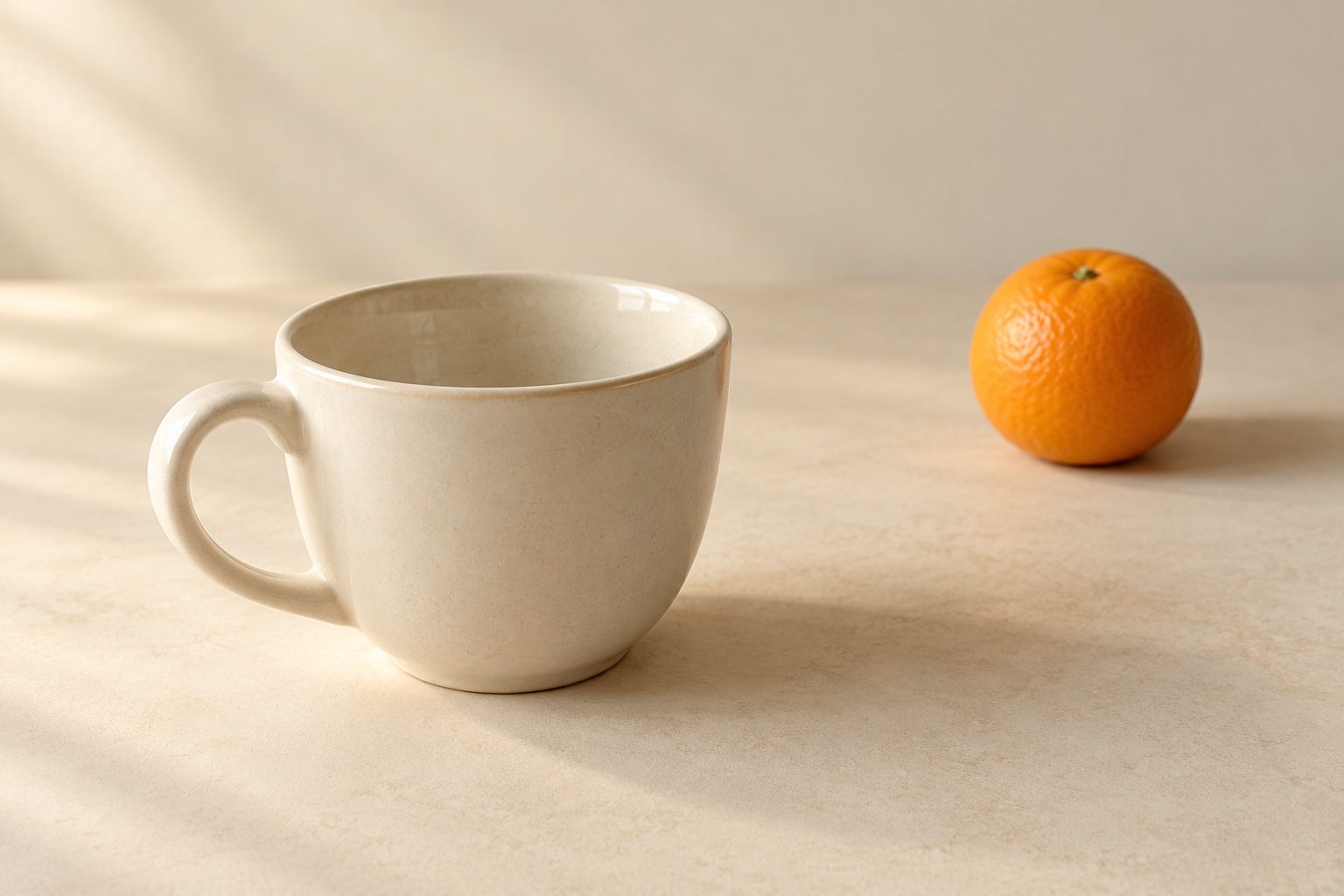
Choose the camera height that makes the important shapes and their relationship easiest to read.
Height changes what you can see
Camera height is the position of the lens above the scene. Raise the phone and you may see inside a cup or across a plate. Lower it and the side of a vessel becomes more prominent while its opening appears shallower. Neither view is automatically better.
Start with a question: is the subject the pattern on the cup, its contents, or the arrangement on the table? Each answer may need a different height. Make that decision before judging whether the picture looks dramatic.
Moving is different from tilting or zooming
Raising the phone changes the viewpoint. Tilting it from roughly the same place changes which direction it looks. These actions often happen together, but they do different jobs. Move first, then adjust the aim to include the subject.
A tighter crop or digital zoom from the same position will not reveal the part of an object hidden behind another. For this exercise keep the same camera view, avoid zoom changes and compare the effect of physically moving the phone.
Separate a cup and a fruit
Place a cup near you and a fruit farther back, slightly to one side. From a low position, check whether the fruit disappears behind the cup or seems attached to its rim. Raise the phone slowly and watch where their outlines move.
Stop when the important edges are readable. If height alone does not solve an awkward overlap, move a little sideways. A small gap can make the objects distinct; a deliberate overlap can show that one is in front. Avoid a nearly touching edge that looks accidental.
Choose low, level or high for a reason
A low view can emphasise the side, height or presence of a small subject. A view near its level makes its front easy to inspect. A higher view can show openings, layouts and the distance between objects on a table.
Adobe Lightroom Academy explores changing the point of view. Nikon illustrates working near a subject’s level and watching the background. Use these as prompts to explore; they do not prescribe one ideal angle for every subject.
Check the background after moving
A wall seam, table edge or bright patch can move behind an important contour when the camera changes height. Look around the rim and handle of the cup, not just at the centre. Check all four borders for a cut-off object that now distracts.
Keep the phone steady and check focus again after changing position. If you also moved much closer, the nearest part may become disproportionately prominent. Step back if that effect distracts, then choose your framing again.
When another approach works better
An overhead view is useful for a flat arrangement, but it can hide the height of a tall object. A low view may show that height while concealing the contents. Decide which information matters; there is no need to preserve every detail in one picture.
Overlaps can be intentional in a dense still life. Do not separate everything into isolated objects if the story needs a compact group. Likewise, do not force a low viewpoint when an ordinary seated position gives a clear and comfortable composition.
Five minutes, three heights
Choose a stationary cup and fruit. Take one picture near cup level, one slightly above the rim and one from higher up. Keep the same camera setting and a similar horizontal distance. Aim at the same group without rearranging it between shots.
Compare three things: how much of the opening you see, which outlines overlap, and what sits behind the subject. Pick the view that best explains your intention. Repeat once with a small sideways move and note what height alone could not solve.
Use the idea in your next Take session
Try this exercise with your usual phone camera, then bring the habit to your next Take PRO session on iPhone. Look at the scene from another height before committing to a composition. The exercise does not depend on a paid feature.
Take PRO has an English interface. See the App Store for current availability and terms. Your useful takeaway is a repeatable choice: change the viewpoint, inspect the outlines, then take the photograph.