PHOTO PRINCIPLES / PRINCIPLE 21
Move closer.
Change the proportions.
Two identical pots can look very different in size in a photograph. The nearer one takes up more of the frame. Moving the camera changes that relationship, even though neither pot has moved. This exercise separates a change of viewpoint from a tighter crop: they are useful for different reasons.
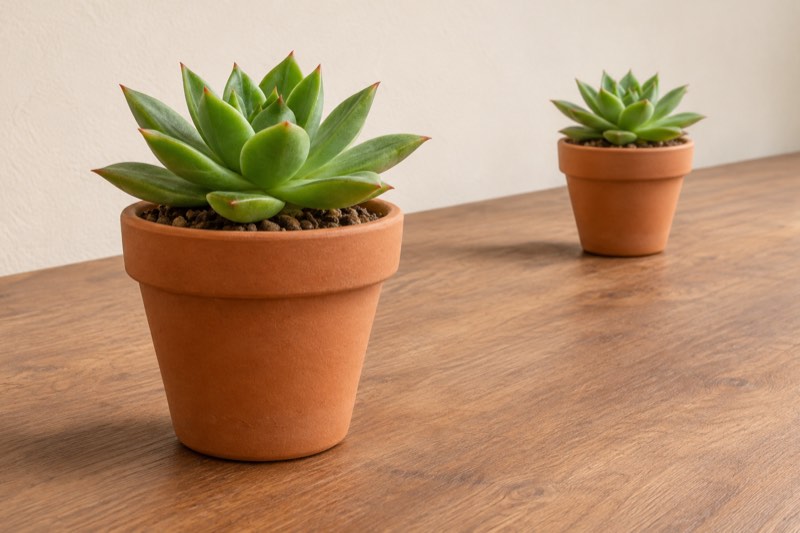
Learn how camera distance changes the apparent size of near and far objects. A two-pot exercise, practical steps, common mistakes and a checklist.
What changes when you move?
Perspective describes the spatial relationships visible in a picture. Adobe discusses distance as a way to convey proportions. Here, watch the size of the front pot compared with the rear pot, rather than asking whether the whole photograph looks bigger.
When you move very close to the first pot, its distance from the camera is much smaller than the distance to the second. From farther away, the difference between those distances is smaller relative to their total. The pots therefore appear more similar in size.
Set up a simple comparison
Place two matching pots on a stable table, with the second behind and a little to one side. Leave enough separation to see both outlines. Keep the objects, light and phone orientation unchanged throughout the comparison.
Choose one camera setting, such as the main camera at 1× if your phone offers it. Take a close view without touching the pot, then step back and take another. Keep the camera at approximately the same height and avoid changing lenses.
Compare the relationship, not the frame size
In the distant shot both pots will initially look smaller. For comparison only, crop that photograph until the front pot is about as large on screen as in the close shot. Now compare the rear pot: it should look larger relative to the front one.
Cropping removes the outside of a recorded image; it does not move the camera or reveal hidden surfaces. This comparison does not prove better image quality. Keep the uncropped originals, because the tighter crop contains fewer original pixels.
Use it in everyday scenes
At a café, moving close to a cup can make it dominate the table while the companion’s cup appears small. Step back if the story is about two equal places. In a garden, a nearby flower can deliberately become the main character against a distant building.
Choose the distance for the relationship you want first. Refine the edges afterwards. A stronger foreground is an option, not a requirement for every photograph.
Mistakes that hide the lesson
Changing camera height, moving the pots and switching lenses at the same time makes the comparison hard to interpret. Automatic lens changes on some phones can also complicate a very close shot. If the preview jumps or focus fails, back away a little.
Do not call every stretched edge a perspective effect: lens distortion and image processing can also affect shape. Keep the pots away from extreme corners and use their relative size as the main observation.
When to choose the opposite
For a playful image, exaggerating the front object can be the point. For a clear record of two objects, a more distant position may make their proportions easier to compare. Neither choice is universally correct.
Try three distances without moving the pots. Select one image that emphasizes the front pot and another that gives both similar importance. Explain the difference in one sentence. Practise with Take PRO; the illustration here is AI-created, not an app result.